
Scenes
One key opens a Scene’s apps, puts their windows back and hides the rest.
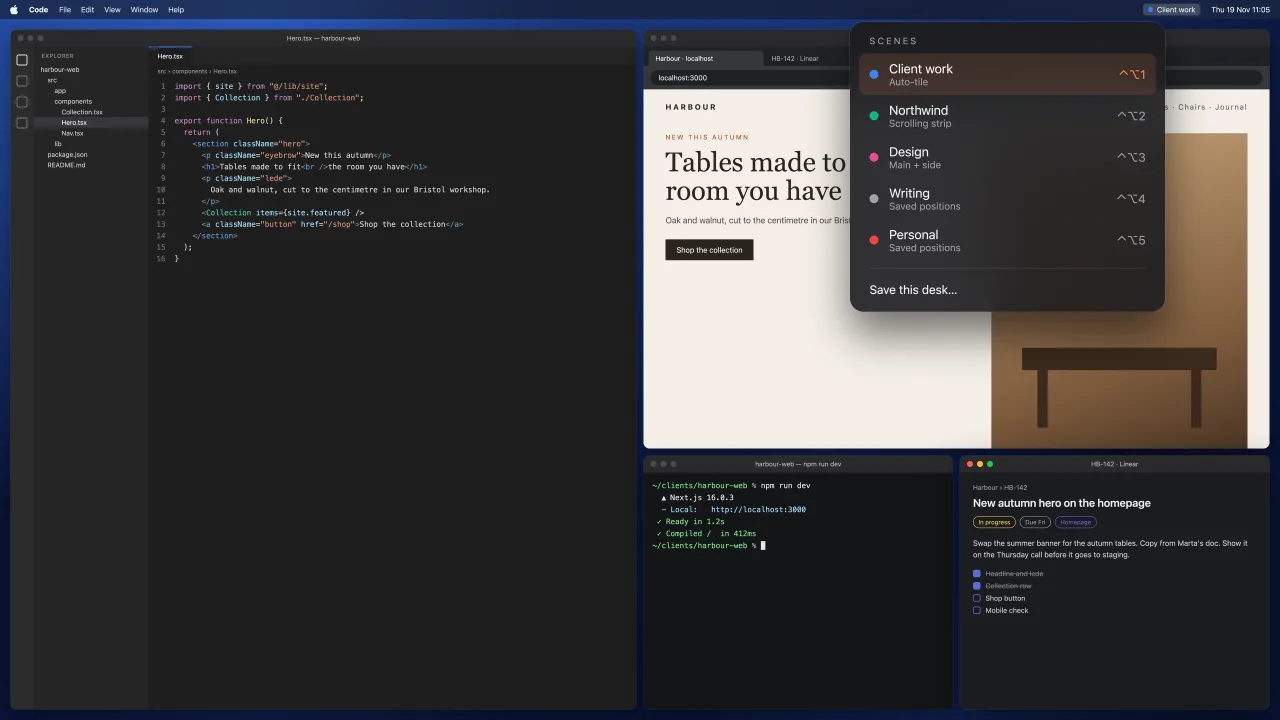
A Scene is everything one job needs, with a name, an icon, a colour and a key. Start from a template (Work, Study, Design, Writing, Meetings, Admin, Personal, Developer or Presenting), save the desk you already have, or build one by hand.
Switching hides the apps outside the Scene and never quits them. Apps that aren’t running launch in the order you set, and windows land in their places while their apps are still hidden.
- Opens apps, files, folders, Mail messages, notes and links
- Reopens tabs in Safari and the Chromium browsers (Chrome, Arc, Dia, Brave, Edge, Vivaldi); Firefox gets its windows only
- Shows a note to yourself on arrival
- Leave a Scene and the windows stay where they are; Undo brings it back
- Archive a Scene you’re done with, and bring it back later with its layout
- Share a Scene as a file
What a Scene can hold
| Part | What happens on switching |
|---|---|
| Apps | Missing ones launch in the order you set; apps outside the Scene hide |
| Windows | Each goes to its place, for the displays you have right now |
| Tabs | Reopen in Safari, Chrome, Arc, Dia, Brave, Edge and Vivaldi. Firefox gets its windows |
| Files and folders | Open with the Scene: a document, a Finder window, a project |
| Pinned links | A web page, a Mail message or a note |
| The room | Wallpaper, sound devices, light or dark, a playlist and a Focus |
| A note | Shown as you arrive, like “finish the invoice” |
Three ways to make one
- Save this desk. Arrange your windows, save them, and that’s the Scene.
- Start from a template. Work, Study, Design, Writing, Meetings, Admin, Personal, Developer or Presenting. Apps you don’t have are skipped.
- Build it by hand. Pick the apps, the layout and everything else.
When you’ve finished with one
Archive it and it leaves the panel, the switcher, the shortcuts and every trigger, keeping its layout until you restore it. Export a Scene as a file to share it: a teacher can send a Study Scene to a class, or a team can share a support desk.
Questions
How many Scenes can I have?
As many as you like. ⌃⌥1 to ⌃⌥9 reach the first nine directly, and the rest are in the panel and the hold switcher.
Can an app belong to more than one Scene?
Yes. Safari can be in Work and Study, and it opens the tabs and takes the place each Scene gives it.
How to organise your Mac’s windows by task · Setup
Next: Hold to pick a Scene